
Log into the 3CX Web Client. If you need these details please refer to the 'Welcome to 3CX' email that was sent to you.
Note - If you need this to be sent again please inform your 3CX admin team.
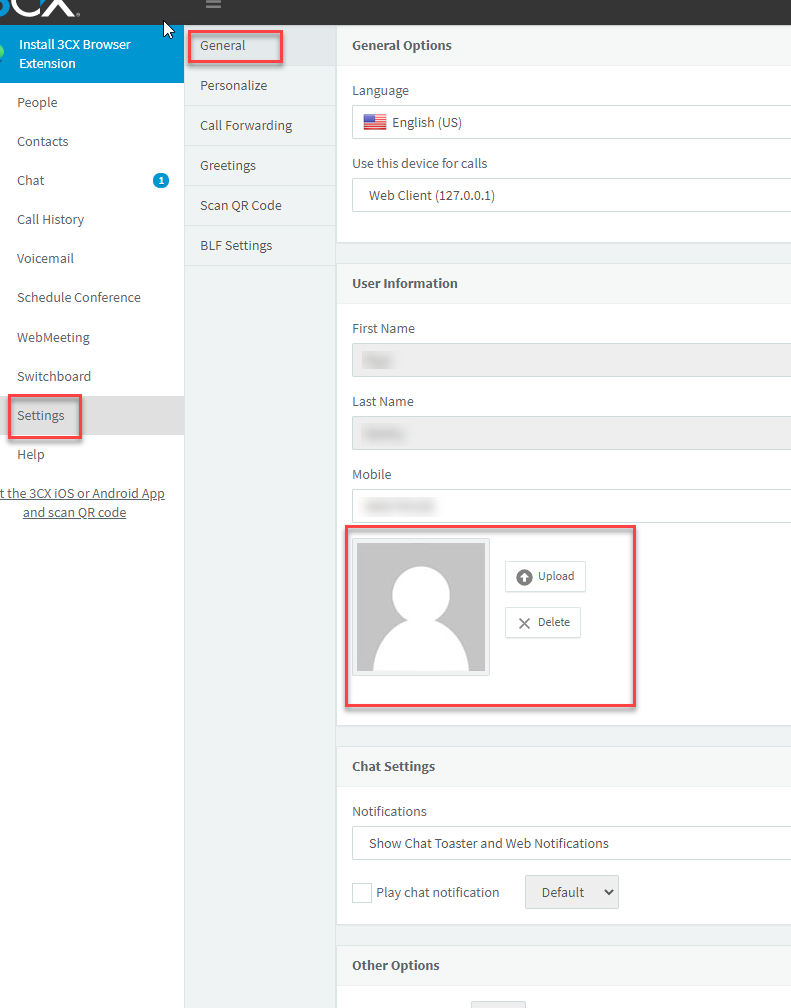
Once you are in the 3CX Web Client go to Settings then the General tab.
You will see the section where you can Delete or Upload your profile image.
If you have any issues or questions regarding this process, please contact M1IT Systems via 'support@m1it.com.au'.
Comments
0 comments
Please sign in to leave a comment.