
How to Pair your Plantronic Voyager 4220 Bluetooth Headset
1. Place to USB dongle into pairing mode.
With a pin, push the small red button on the side of the dongle in.
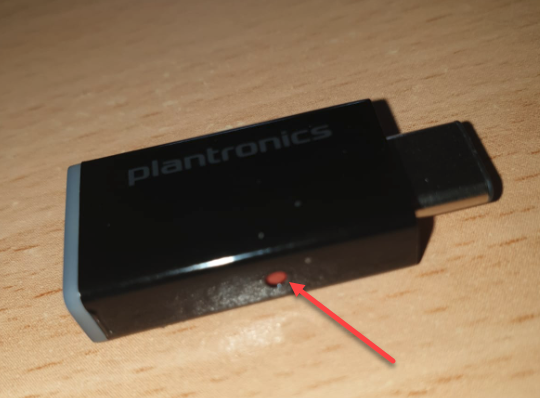
If successful the dongle will flash Blue and Red.
2. Place the headset into pairing mode but pushing the on/off switch past the 'ON' position.
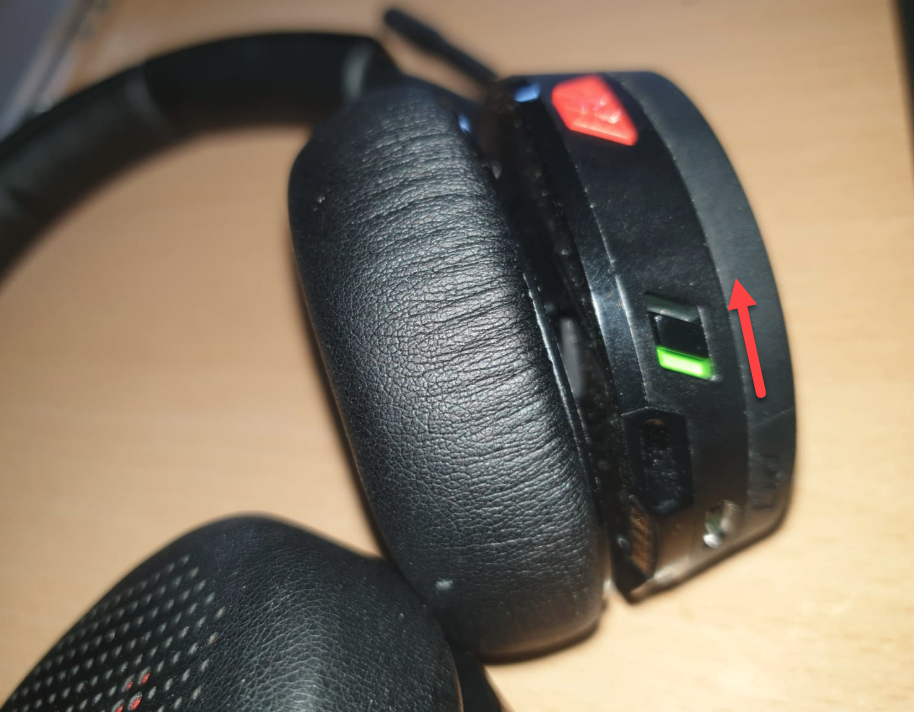
You will hear the prompt 'Pairing'.
3. The headset will then prompt you 'Connected to computer'.
The Dongle will have a solid Blue light once connected.
If you have any issues or questions, please send them to support@m1it.com.au
Comments
0 comments
Article is closed for comments.