
If you need to pick up a call that is ringing on another handset other than your own, you can do this byu dialing '*20*' on your handset which will automatically answer the ringing phone.
If you need to answer a certain extension then you enter the extension number after '*20*'
For example, if your extension is EXT 01 and you wish to answer EXT 10. You will dial '*20*10' from your handset.
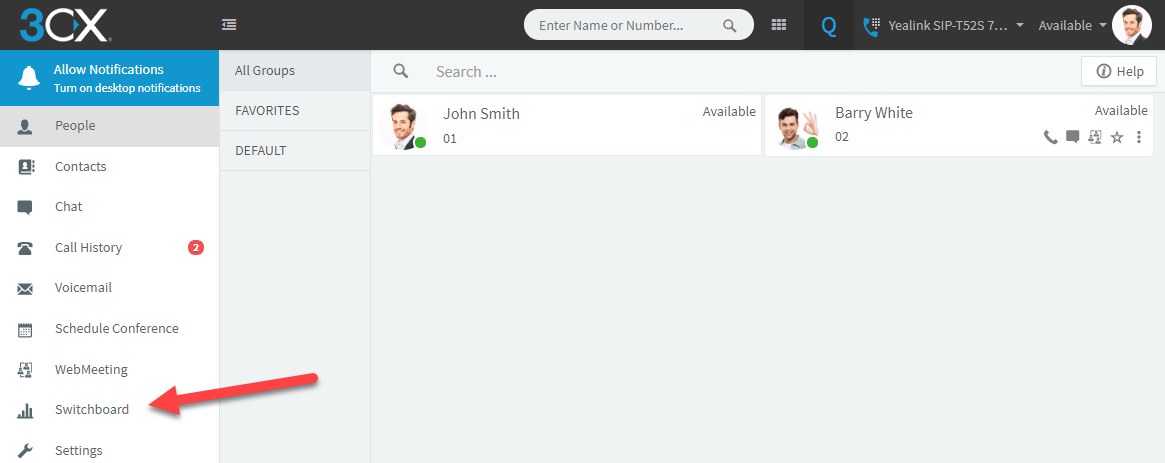
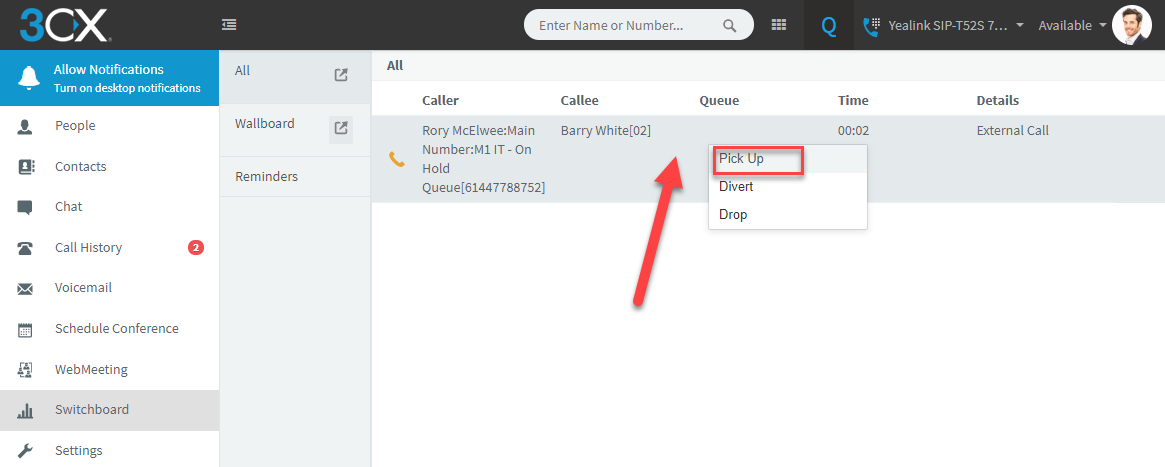
You can also achieve the same result via the web client by navigating to the 'Switchboard' page where ringing call will be visible. From here you can right click on the call and select 'Pick Up'.
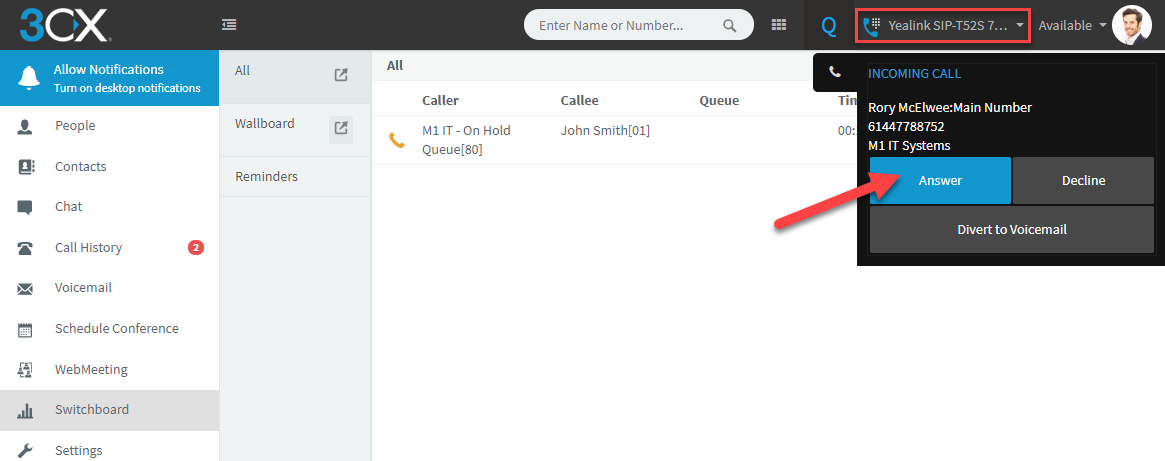
To confirm the device that you wish to receive the call on, select it from the option in the top right corner then clock 'Answer'.
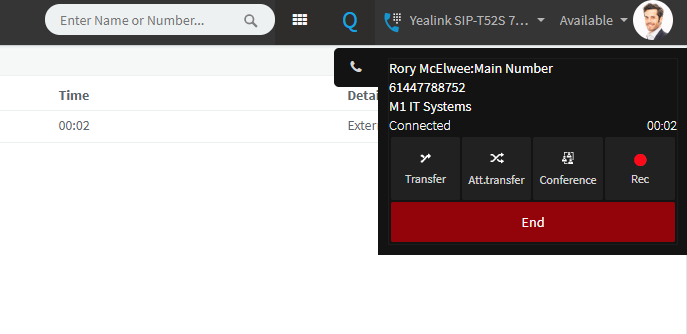
Once the call has been iniciated then you will be displayed the Web Client call controls.
Comments
0 comments
Please sign in to leave a comment.