
By default Windows has the PC go into 'Sleep Mode' after X amount of minutes.
To disable to settings you will need to access the 'Power Options' settings from within the 'Control Panel'.
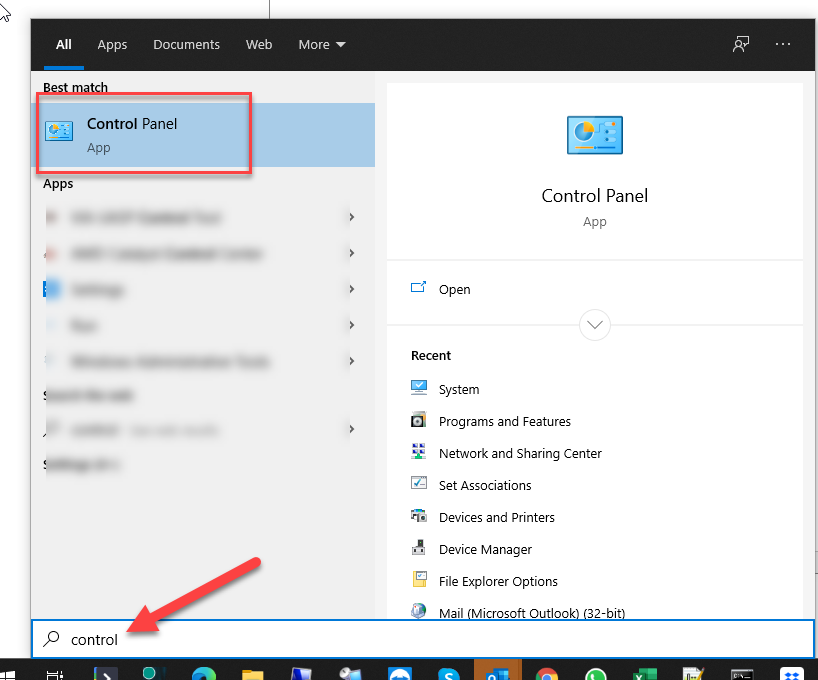
1. Click the 'Start Button' then type 'control'
You will see the 'Control Panel' app displayed at the top.
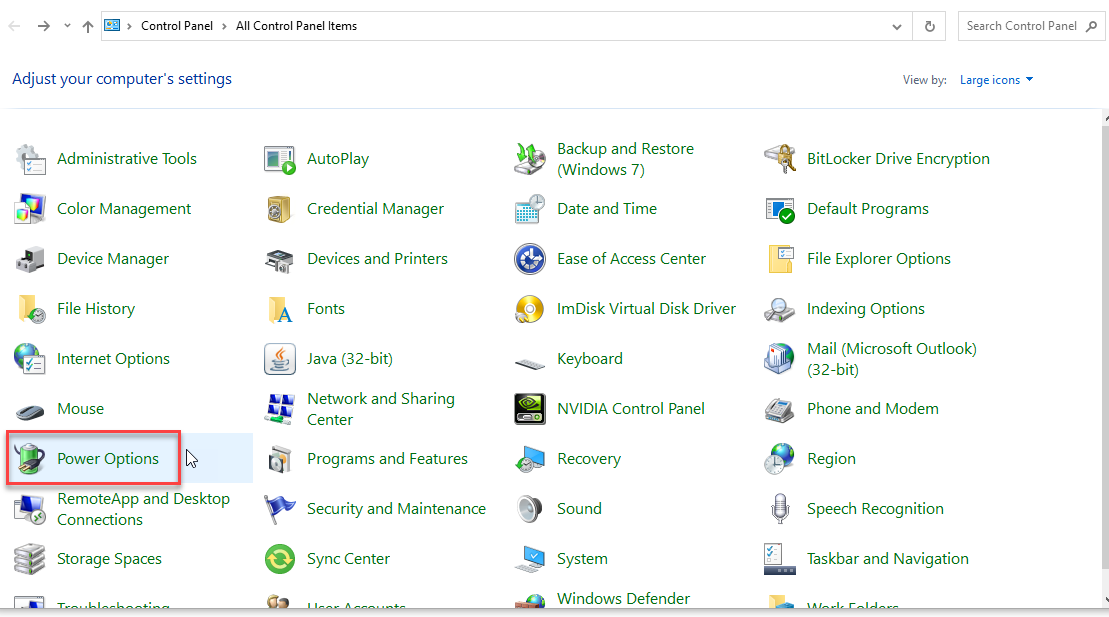
2. run the 'Control Panel' app then find the 'Power Options' icon within the 'Control Panel'
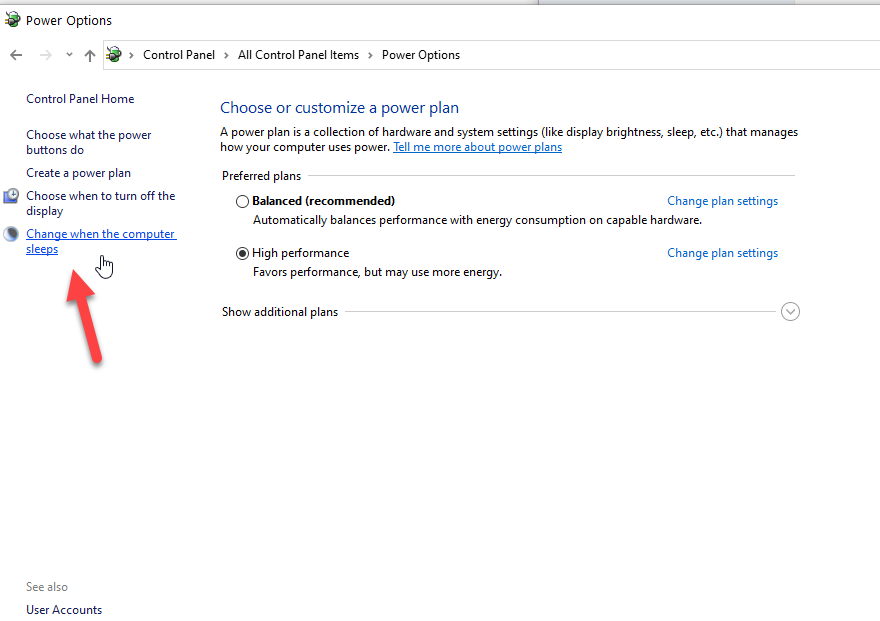
3. Once you have the 'Power Options' open then you will see the 'Change when the computer sleeps' option on the left.
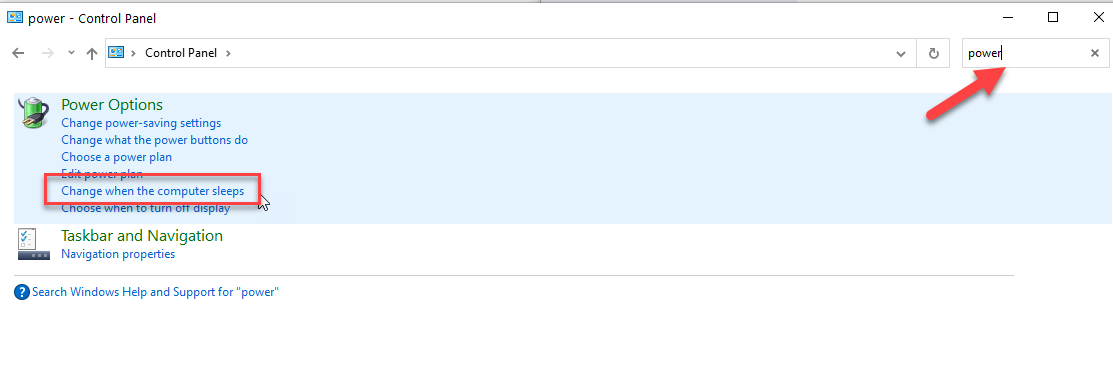
Note - If you are not seeing these options, then you maybe in the 'Category' display. If so, type 'Power' in the search bar in the 'Control Panel' windows located at the top right corner then select 'Change when the computer sleeps' option.
4. Select 'Never' from the drop-down menu for the 'Put the computer to sleep.
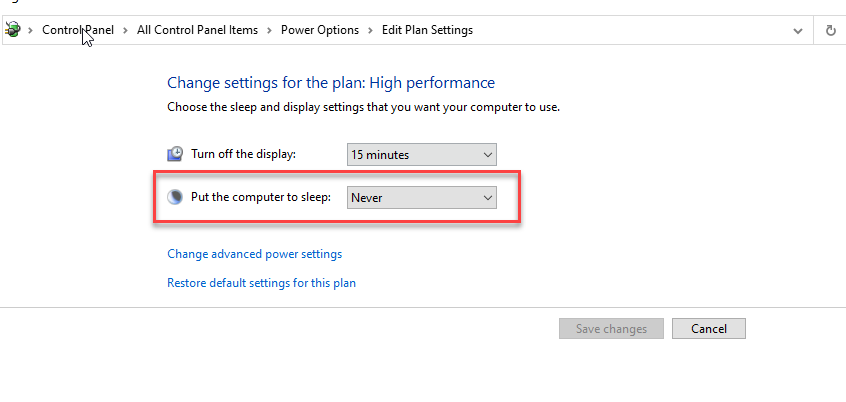
Note - If you are on a Laptop then you will have an extra option for on battery. Leave as default for on battery.
Comments
0 comments
Please sign in to leave a comment.