
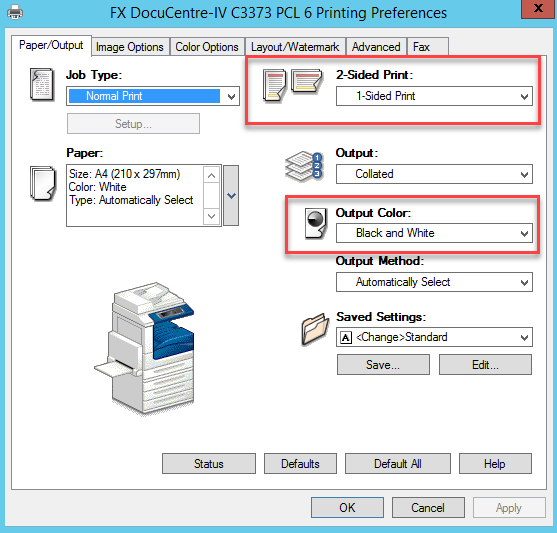
To change the printers to 'Black & White' as the default selection. Follow these steps.
1. Click the 'Start' button in the bottom left corner.

2. Click the 'Magnifying Glass' in the top right corner to access the search feature.

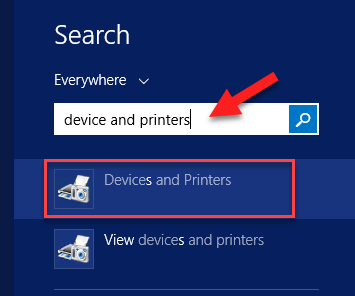
3. Type in the Search Field 'Device and Printers', then select the first search result 'Devices and Printers'.
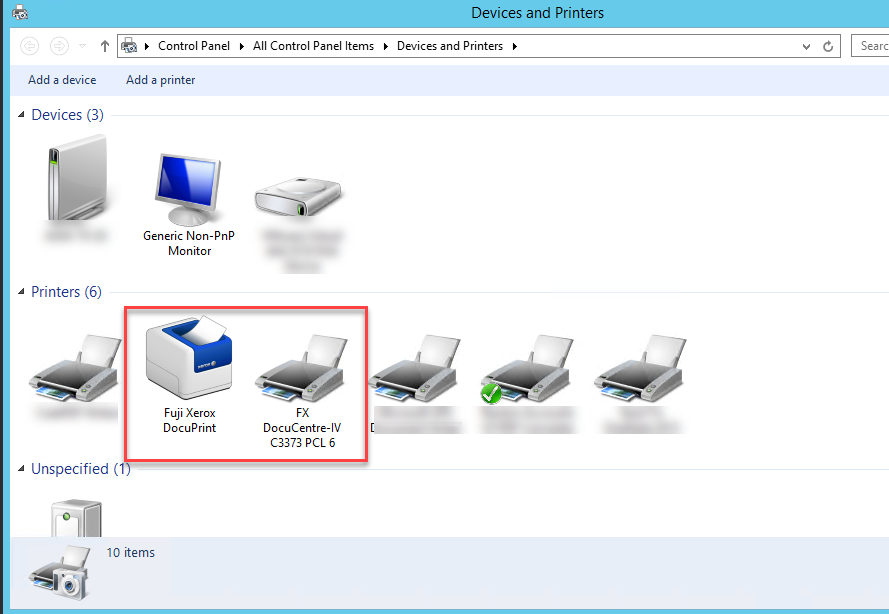
4. Within the 'Devices and Printers' window, you will see the available printers.
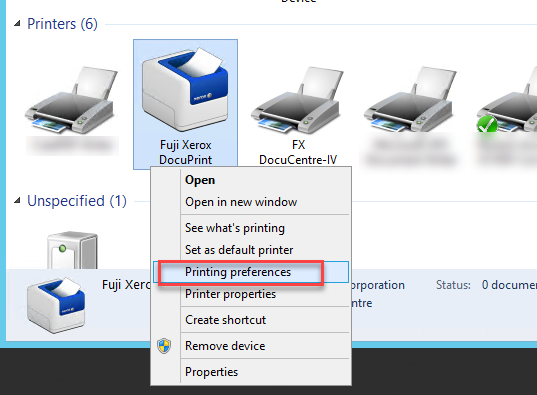
5. Right click on the desired Printer and select 'Printer Preferences'.
6. Within the Printer Preference, check the desired settings. Then click 'OK'.
If you have any issues or questions with this process, please email support@m1it.com.au
Comments
0 comments
Please sign in to leave a comment.