
To enable or disable the 'Redirected Printer' feature for you RDP session, please follow the instructions below.
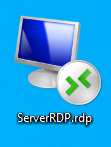
1. Right Click the 'Remote Desktop Connection' software and select 'Edit'.
2. Once open, click the 'Show Options' drop down.

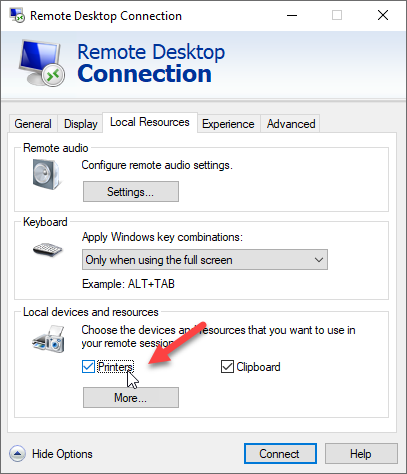
3. Click the 'Local Resources' tab then tick the check box next to 'Printers'.
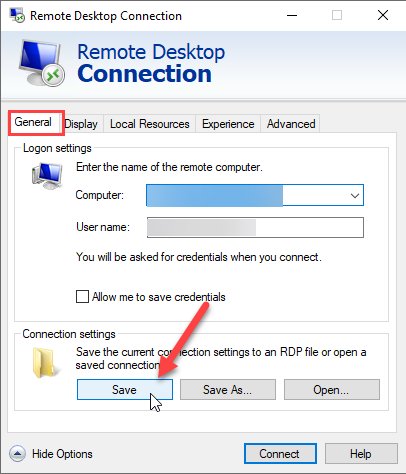
4. When you have finished your selection you will need to save your decision. Go back to the 'General' tab and click the 'Save' button.
5. Log back into the Server RDP connection to see the changes.
If you are still experiencing issues or wish to submit a question please don't hesitate to contact M1It Support at support@m1it.com.au.
Comments
0 comments
Please sign in to leave a comment.