
To add a hyperlink within Excel to a locally stored or network stored document.
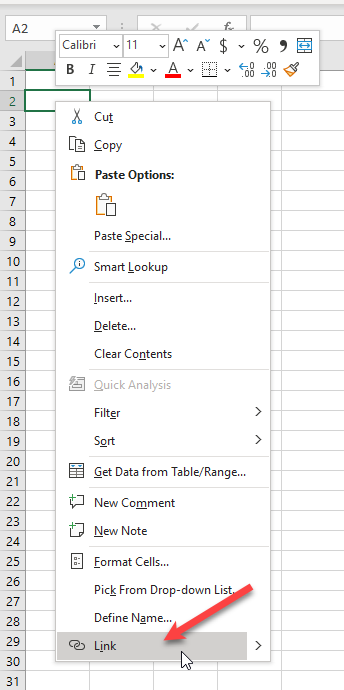
1. First select the cell to add the Hyperlink to.

2. Right click then select the 'Link' option
3. In the 'Insert Hyperlink' dialog box select the 'Browse for File' option to open the File Explorer to navigate to the location of the desired file.
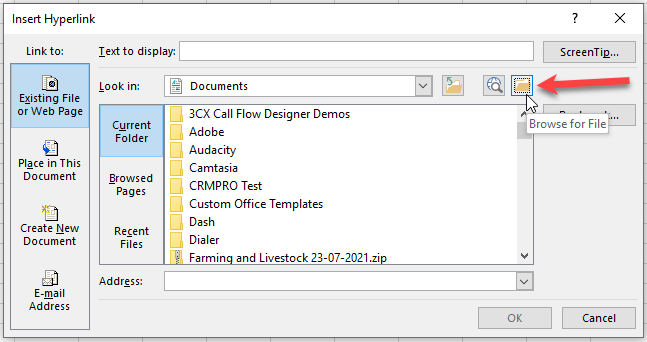
4. After you have highlighted the desired file, fill in the value for the 'Text to Display' then click 'OK'
If you have and question or issues with this process, please contact M1IT Systems at support@m1it.com.au
Comments
0 comments
Please sign in to leave a comment.