
How to Enable or Disable The Forgotten Attachment Reminder in Microsoft Outlook
First, open Microsoft Outlook and click on File to enter the backstage view.

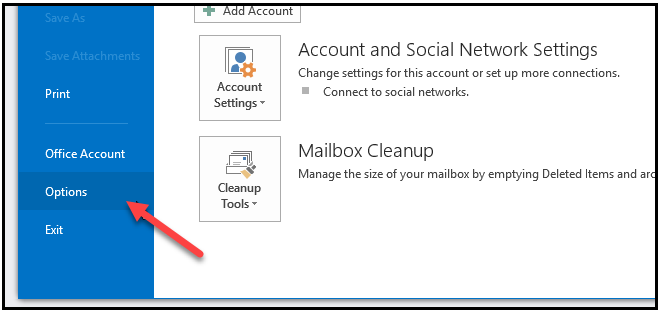
Here you will want to click on options.
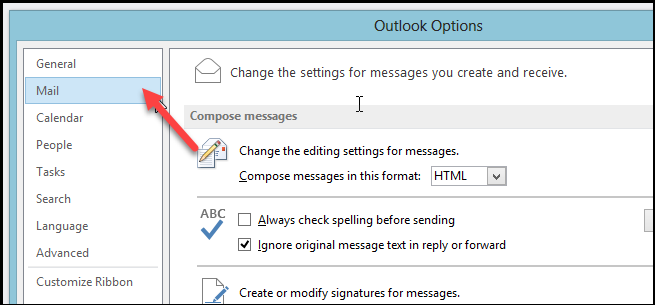
When the Outlook options dialog opens, switch over to the mail section on the left hand side.
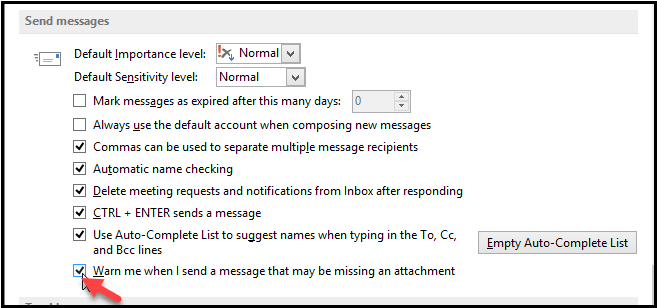
Then scroll down to the “Send messages” section and either tick the last check box to enable the warning, or untick it to disable the warning message.
That’s all there is to it.

Comments
0 comments
Please sign in to leave a comment.